 WeekSign
Weekly timesheets
Your week, signed.
Fill the week in one tap. Your client signs from the email, without an app or an account. The signed PDF reaches everyone who needs it.
Android now, iPhone and desktop next.
How it works
Three steps. Most weeks, three taps.
Everything is set up once: the client, who signs, the usual hours. After that, a normal week is fill, send, done.
One tap fills the week
"Fill week" puts your usual hours on Monday to Friday. "Copy last week" repeats last week. Change a day with one tap.
1 tapThe hours go in the email
Your client sees the hours right in the email, with a button to sign. No attachment to open, no login to remember.
1 tapA locked PDF, for everyone
Once signed, the week is locked. You both get the signed PDF with a page that shows who signed, and when.
0 taps for youThe app
A week on one screen.
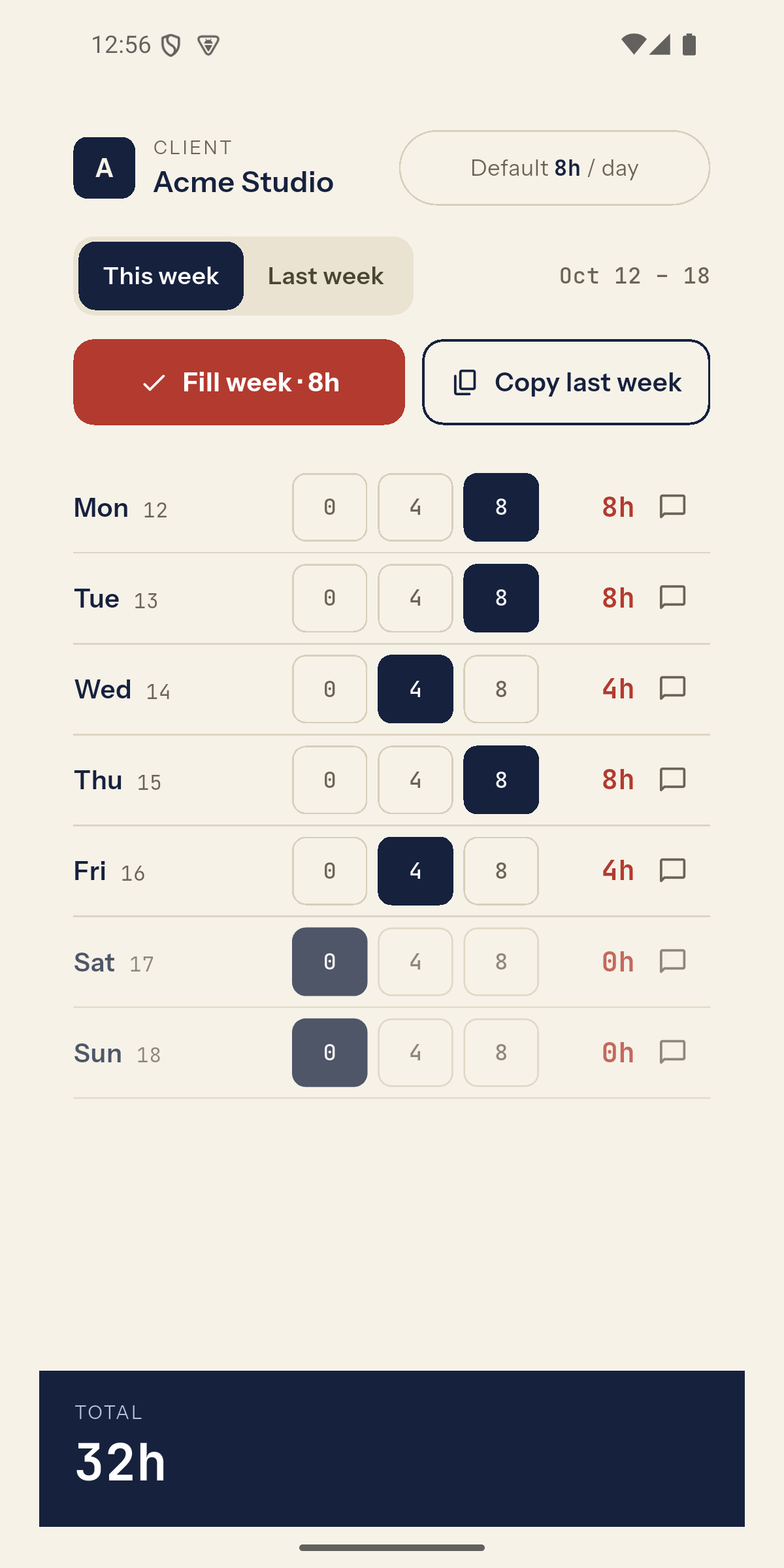
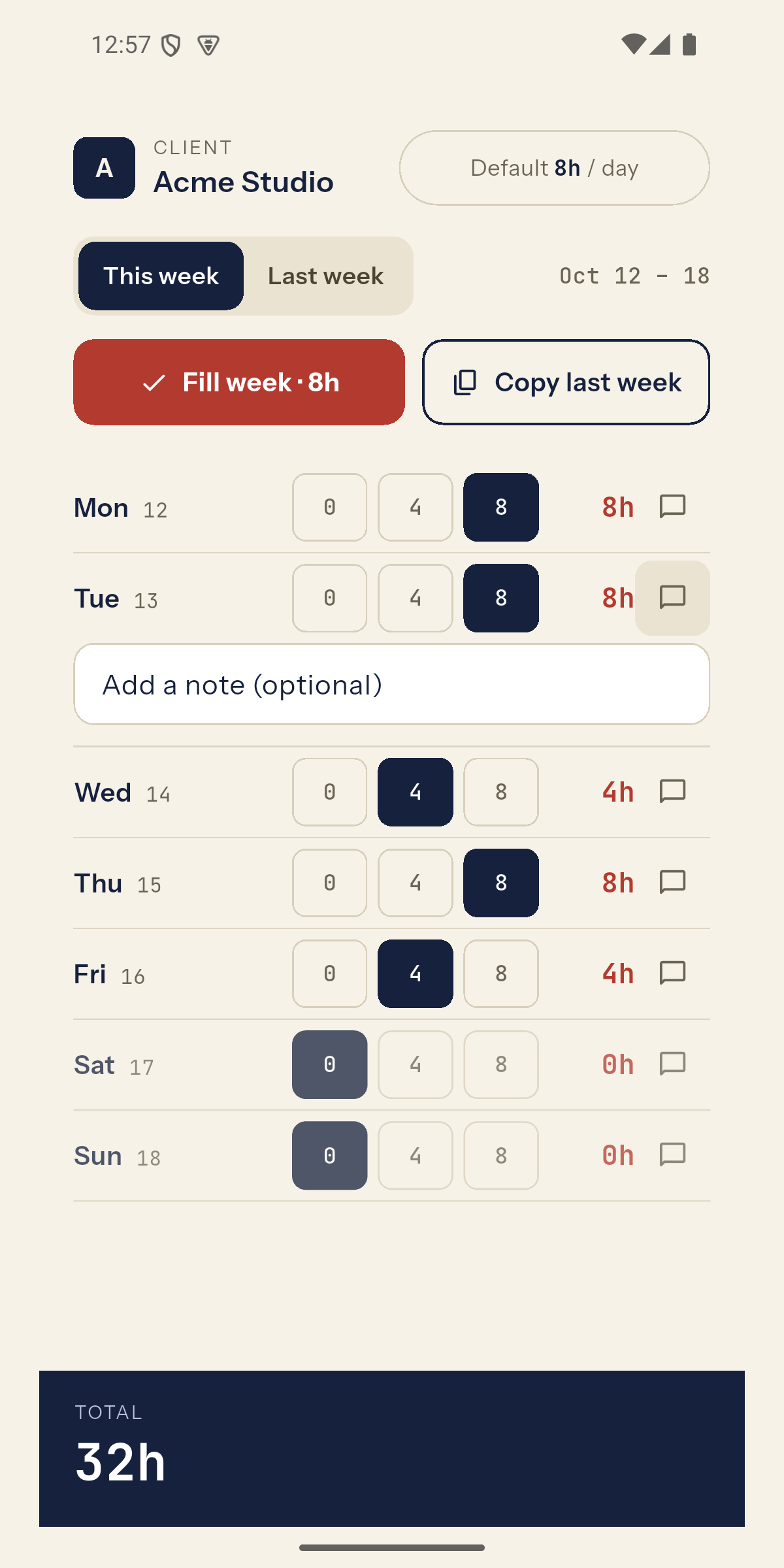
Seven days, three buttons each: 0, 4 or 8 hours. Tap the hours to fine-tune by half an hour. Add a note to any day when it matters.
- This week or last week, one tap apart.
- The total is always in view, so you know before you send.
- Each client has its own usual hours and its own quick notes.
For freelancers and contractors
Stop chasing signatures.
WeekSign reminds your client for you, keeps every signed week, and tells you the moment hours are approved, so you can invoice.
- Automatic reminders. After 2 days and after 5. A backup approver gets them too.
- Questions on one day, not the whole week. Your client asks about Wednesday, you answer, the rest stays approved.
- Notes protect your hours. Add what you did, never required.
- Every week on record. Signed PDFs and their history, for invoices and for tax.
- Works offline. Fill the week in the tunnel, it sends when you have signal.
For companies
Sign every vendor's week in one place.
Your approvers sign from the email with a one-time code. Nothing to install. When you want more, a free company account puts all your timesheets in one view.
Several approvers
A contractor can work for more than one lead. Each week goes to the right person, with a backup who can sign when they are away.
Sign all, at once Soon
All waiting timesheets in one grid, by vendor or by team. Check the hours, tap "Sign all", and they are signed and delivered.
Straight to finance Soon
Signed weeks go to your finance or invoicing inbox on their own, with an export your accounting system reads.
For team leads and project managers Soon
Every timesheet's status, at a glance.
See who has sent, who is waiting on a signature, and who has a question open, across all your people and all their clients. No spreadsheet to keep up to date.
- One board for the team. Sent, waiting, question, signed, for every person and week.
- Hours per project. Signed hours add up per project, over the whole project.
- Paper still counts. A client who signs the PDF and replies by email: the signed copy is recorded and shared like any other.
Our promise
Safe for the person who signs.
Signing requests are where fake emails hide. So we built WeekSign to be easy to trust.
No passwords, no payments
We never ask for either in an email. You can always type weeksign.com/approve yourself instead of tapping a link.
Locked after signing
A signed week cannot change. A change makes a new revision that is signed again.
No tracking
No screenshots, no activity monitoring, no ad trackers. Only what signing and the record need.
Questions
Does my client need the app?
No. Your client opens the email, checks the hours and signs on the page it links to. They can do it on a phone in under a minute.
I got an email asking me to sign a timesheet. Is it real?
Real WeekSign emails come from weeksign.com and show the hours in the email itself. To be sure, type weeksign.com/approve in your browser and enter your email address and the code from the email.
Is the signature legally valid?
It is a simple electronic signature with a full record of who signed, when and from where. That is what timesheets normally need. It is not a qualified electronic signature.
Where is my data kept?
In the EU (Frankfurt). See the privacy policy for the details.